bansemir.net DE | EN

How This Site Was Built

AI-assisted Development with Claude Code -- a documented session

63min

Implementation

21

Workpackages

9

AI Agents

11k

Lines of Code

1 Hour Instead of 4-5 Weeks

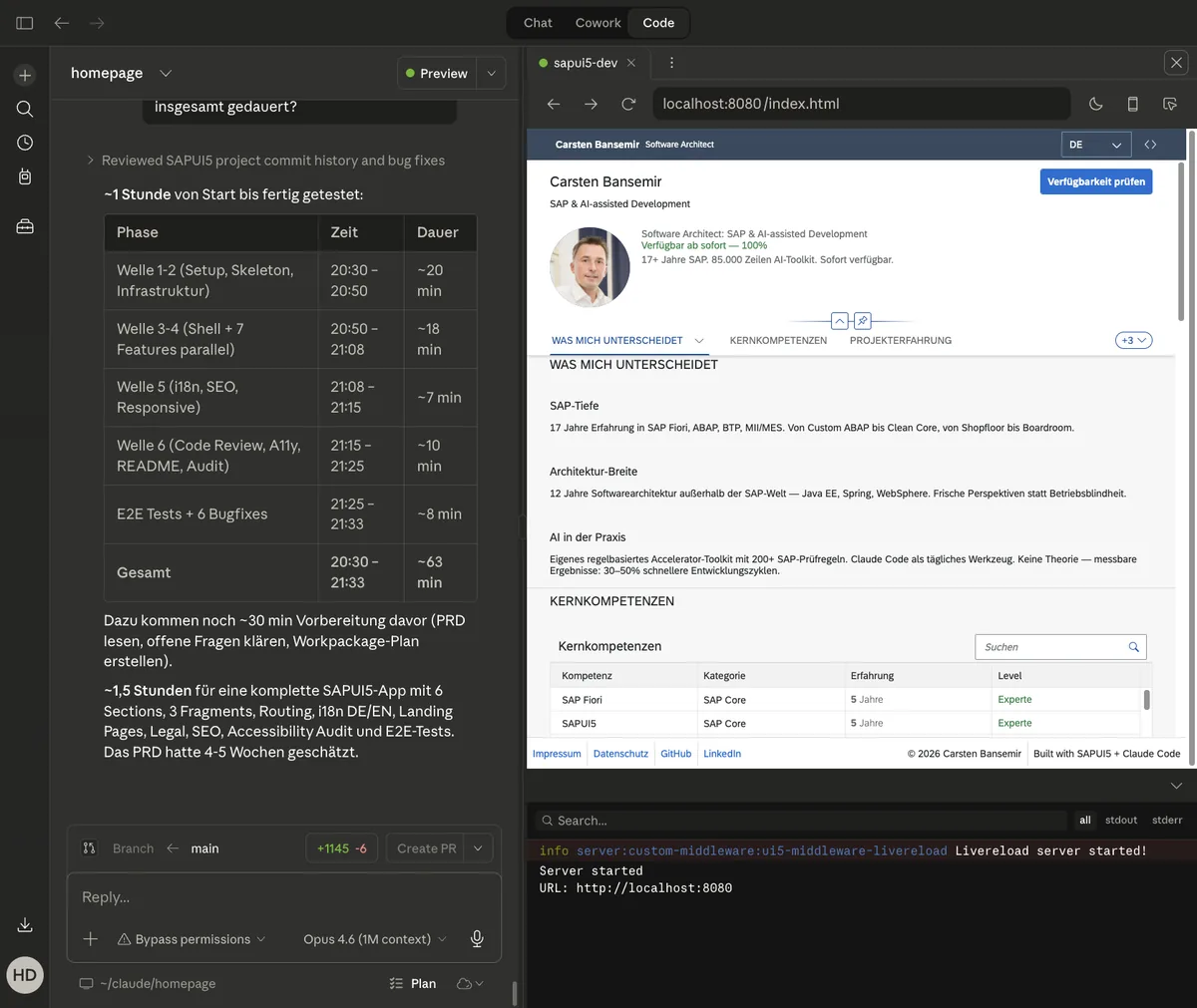
The PRD estimated 4-5 weeks for the build. Actual implementation took 63 minutes. Including planning, testing, deployment and post-launch fixes, the total was 5 hours -- in a single evening session. 21 workpackages, 30 files, 9 specialized AI agents, 10,834 lines of code.

Starting Point

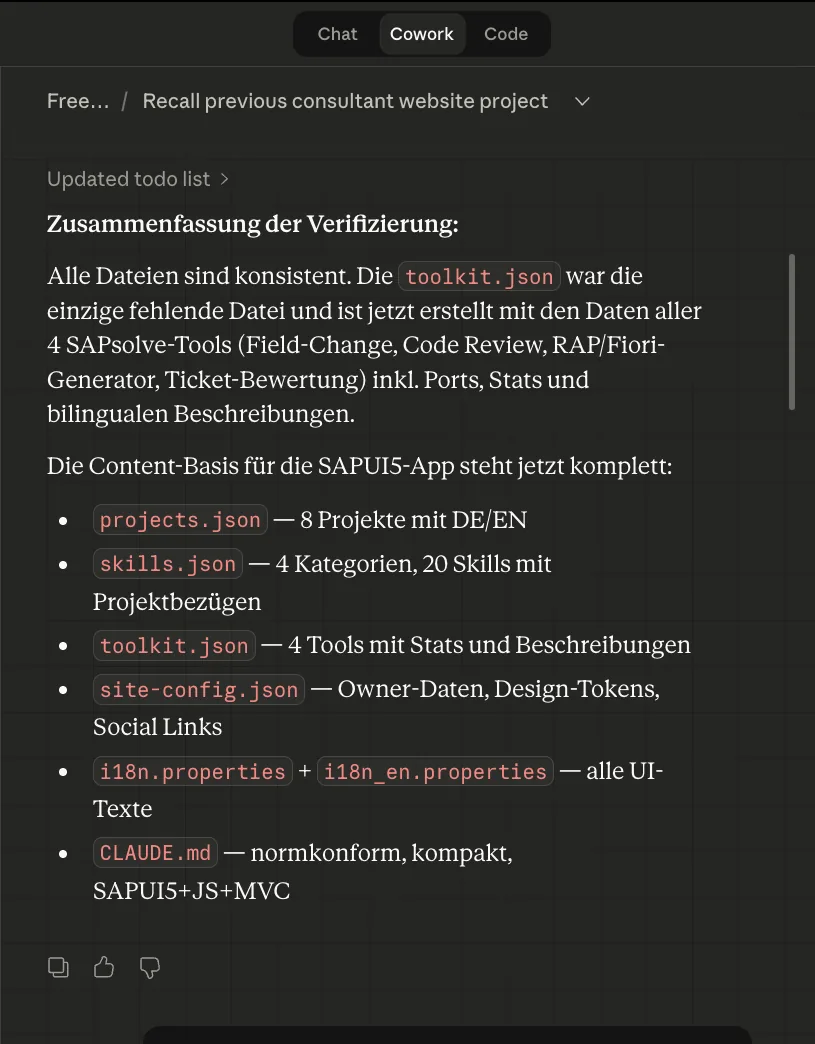
All content was prepared in a cowork session: project descriptions, skills data, toolkit texts -- structured as JSON files. A PRD (v2.1, 997 lines) defined the architecture, MVC rules and agent assignments. The foundation for the build was in place.

Content preparation in the Cowork session
All content files were verified and finalized in a cowork session.

Planning

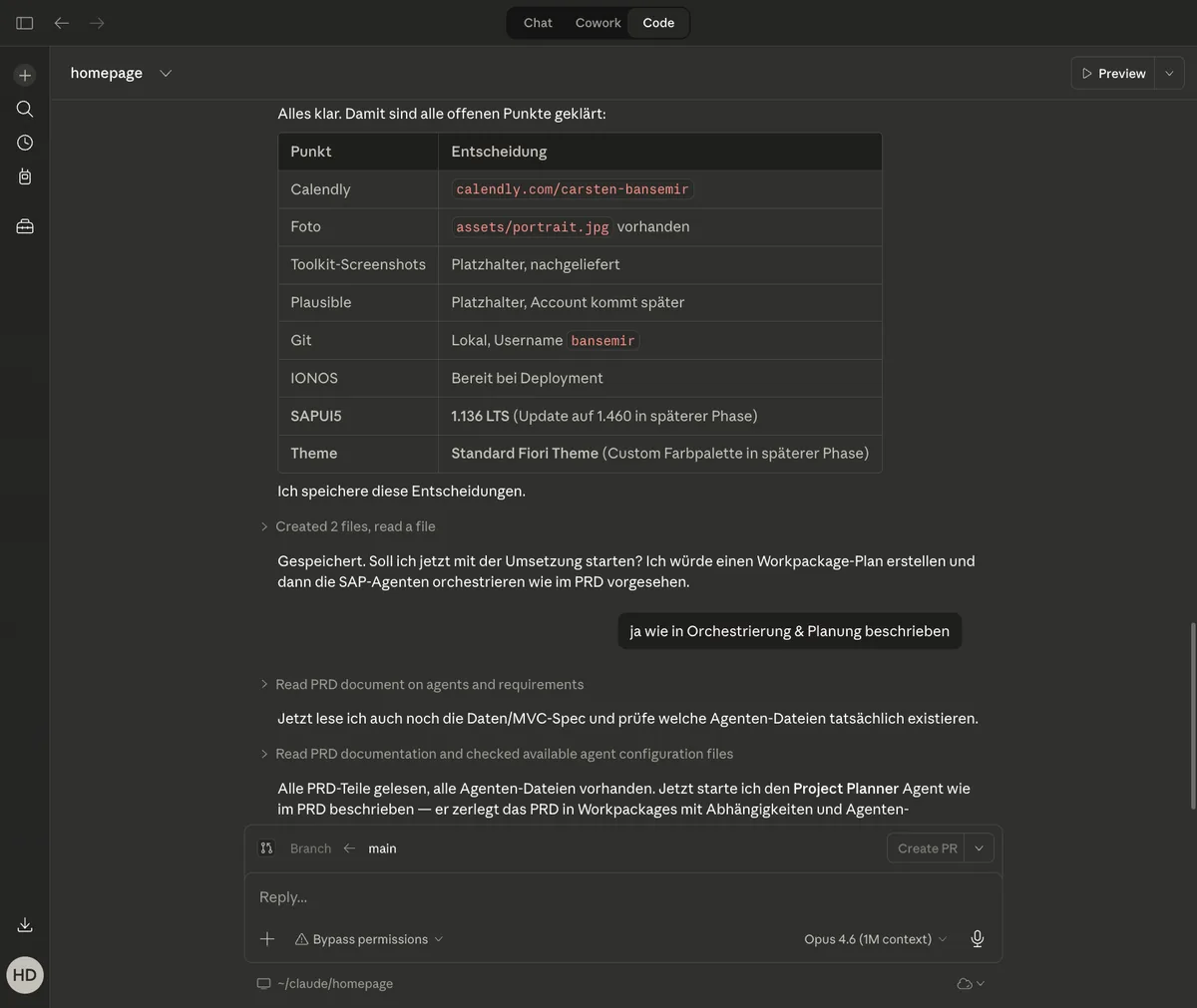
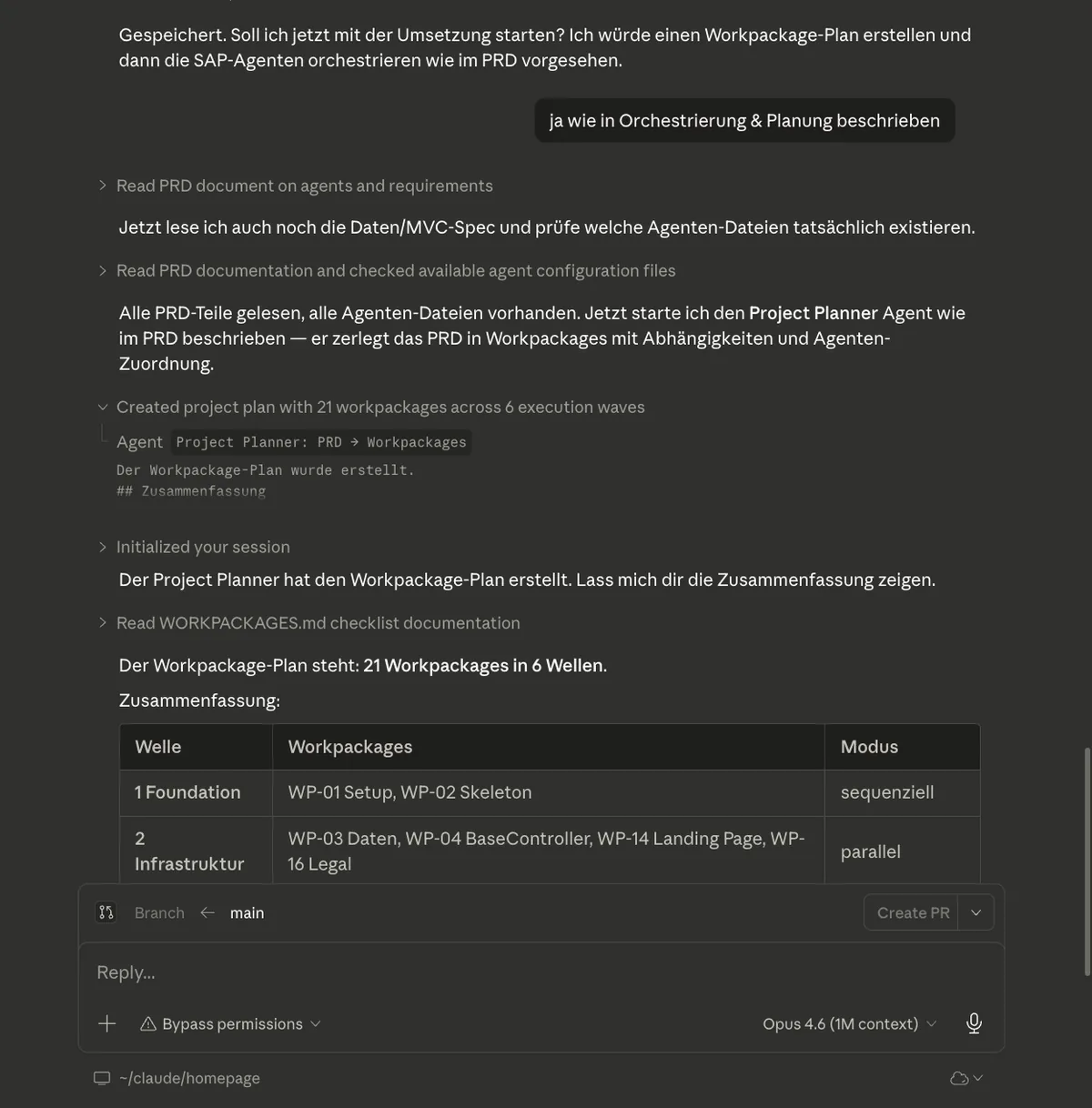
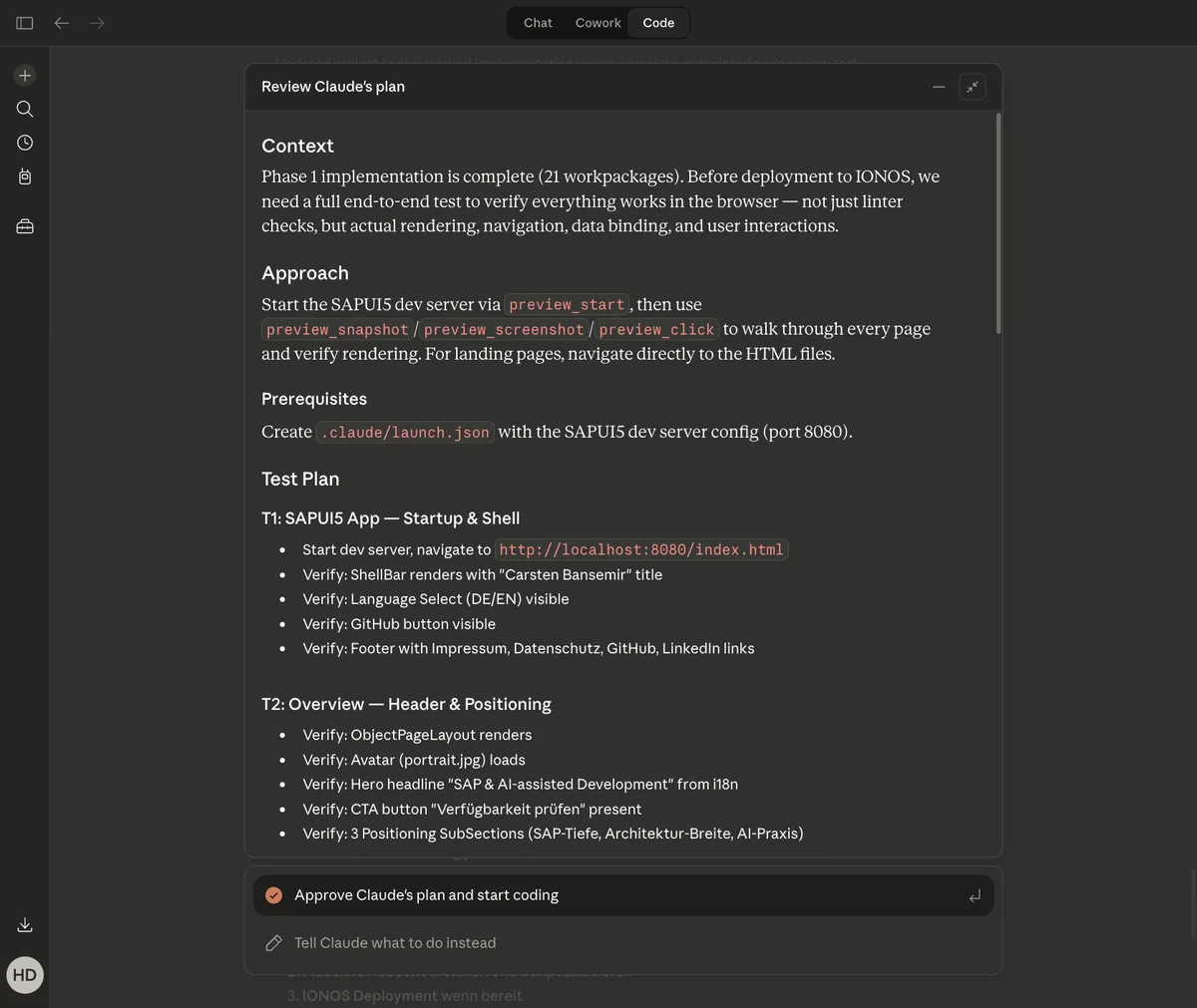
Before the first line of code: open questions resolved. Calendly URL, portrait photo, SAPUI5 version (1.136 LTS instead of 1.460), theme decision (standard Fiori instead of custom). A Project Planner agent then decomposed the PRD into 21 workpackages across 6 execution waves with clear dependencies.

Resolving open decisions before implementation
Open items resolved: Calendly, photo, version, theme -- before implementation starts.
Workpackage plan: 21 packages across 6 execution waves
21 workpackages in 6 waves -- each with an assigned agent and dependencies.

Implementation

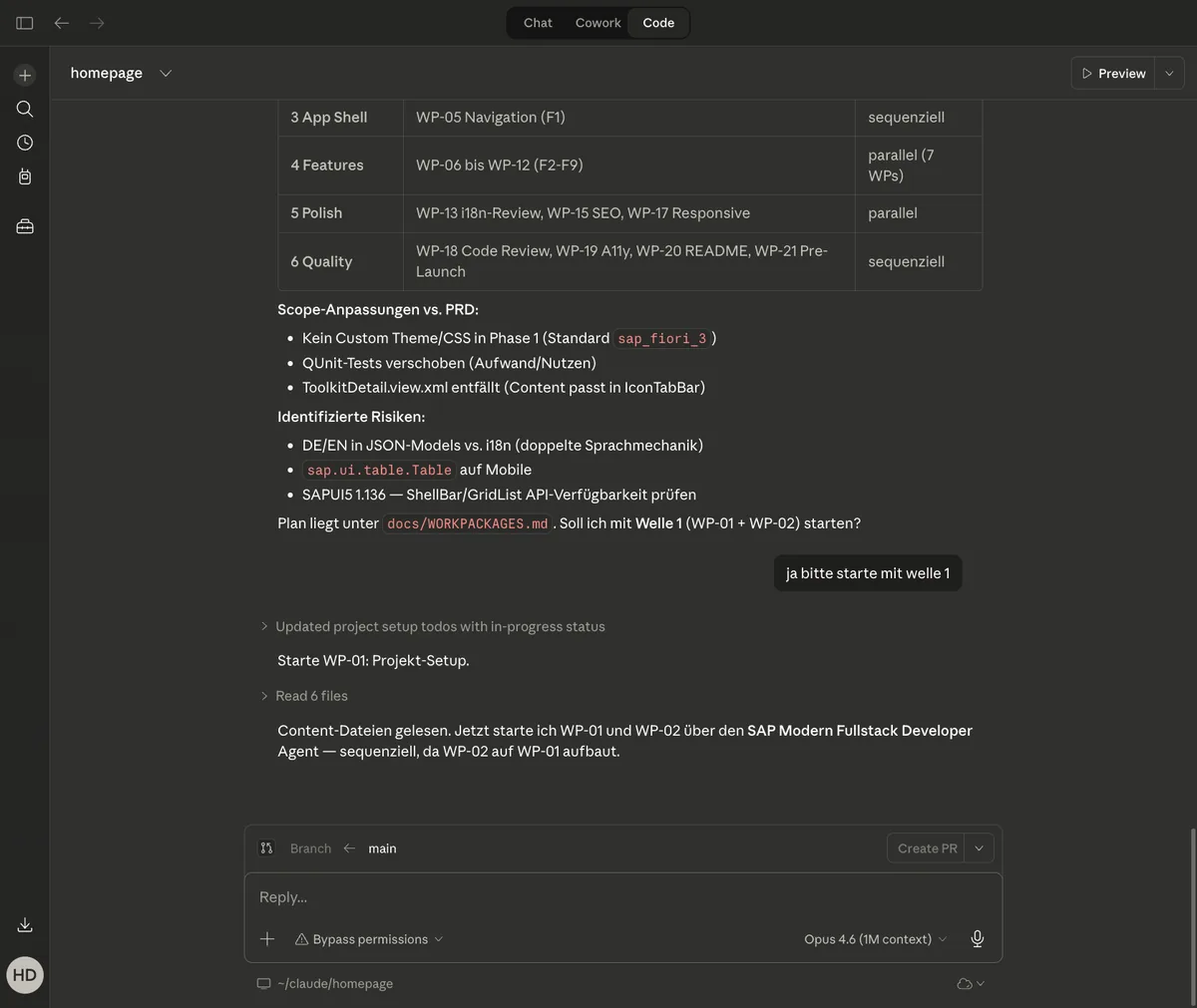
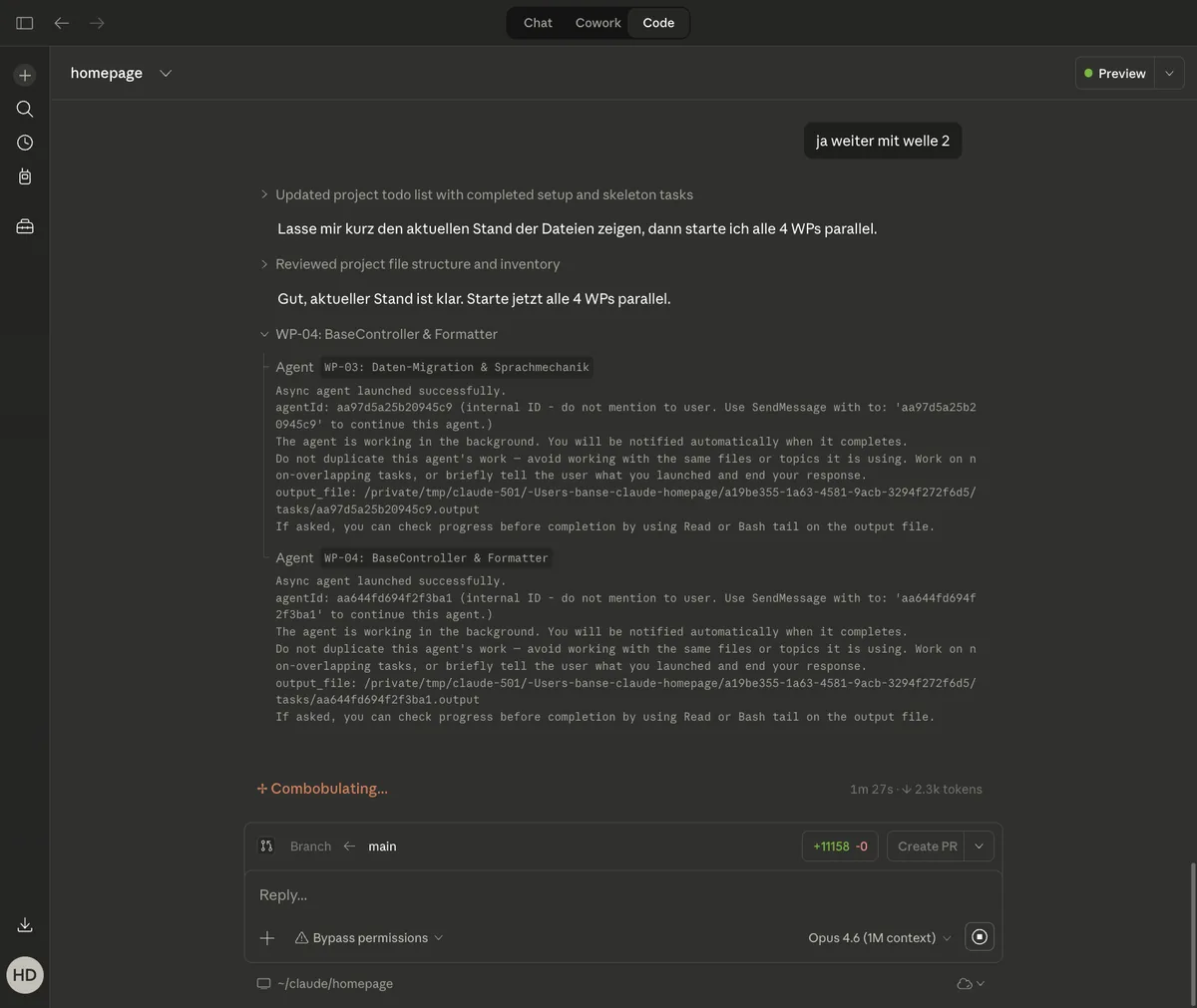
6 waves, up to 7 agents in parallel. Wave 1: app skeleton and git setup (10 minutes). Wave 4: seven features simultaneously -- hero, skills matrix, project experience, toolkit, built-with-AI, contact and footer. 63 minutes for all 21 workpackages, from first commit to last quality gate.

Execution waves with parallel and sequential agents
Wave 4: seven agents working simultaneously on different features.
Four AI agents working in parallel on infrastructure tasks
Parallel execution: each agent handles its workpackage independently.

Quality Assurance

11 end-to-end tests, a code review (3 major findings fixed), an accessibility audit (7 fixes for WCAG AA). UI5 Linter: 0 errors, 0 warnings. First test run: 8 out of 8 failed. Six runtime bugs identified and fixed -- including deprecated manifest.json attributes and an i18n fallback issue. Second test run: 11 out of 11 passed.

End-to-end test plan covering all pages and features
Structured test plan: 11 tests for the SAPUI5 app, landing pages and legal pages.
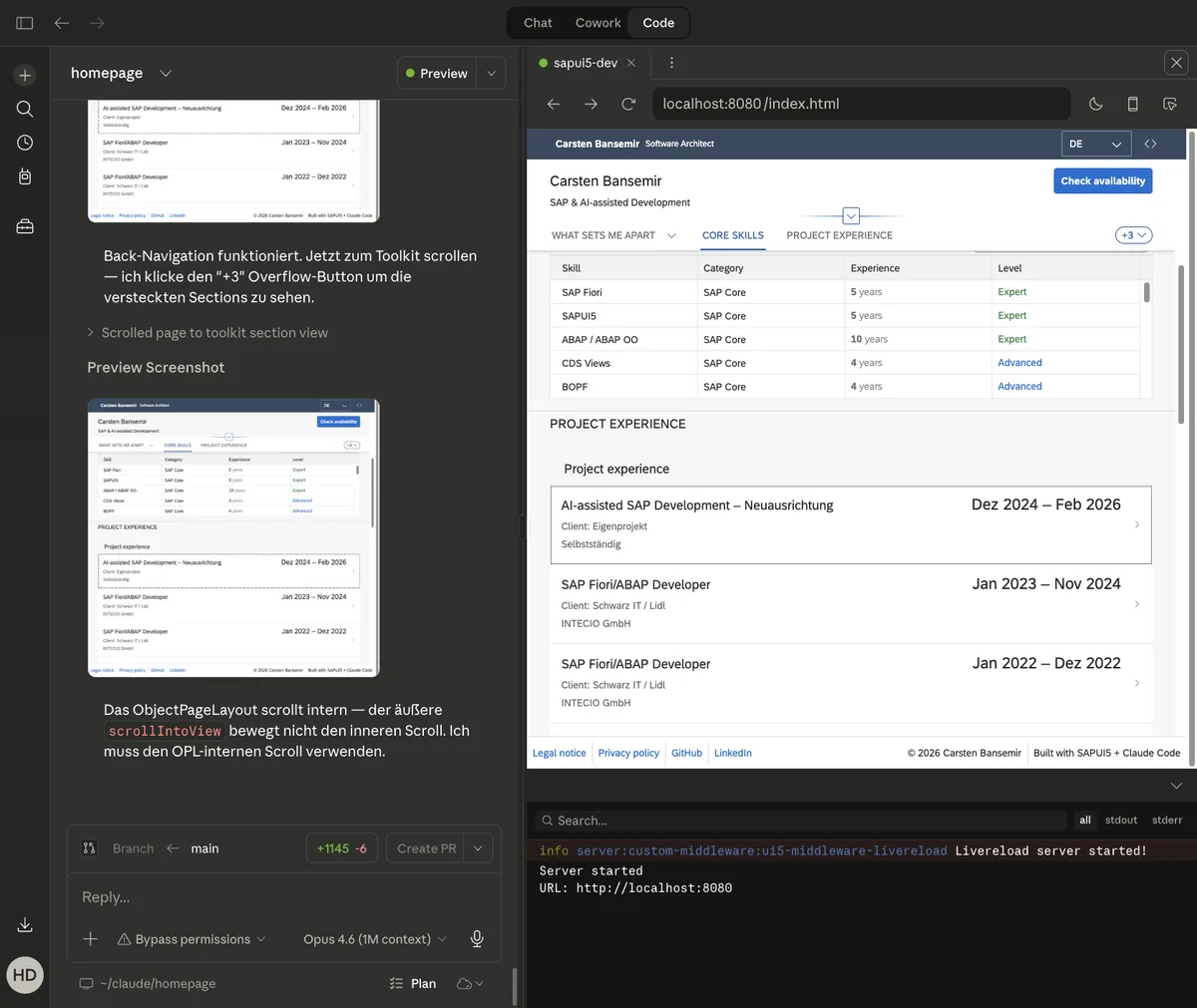
Complete SAPUI5 app with skills matrix and project list
The finished app after all bug fixes: skills table, project experience, toolkit.

Problem Solving

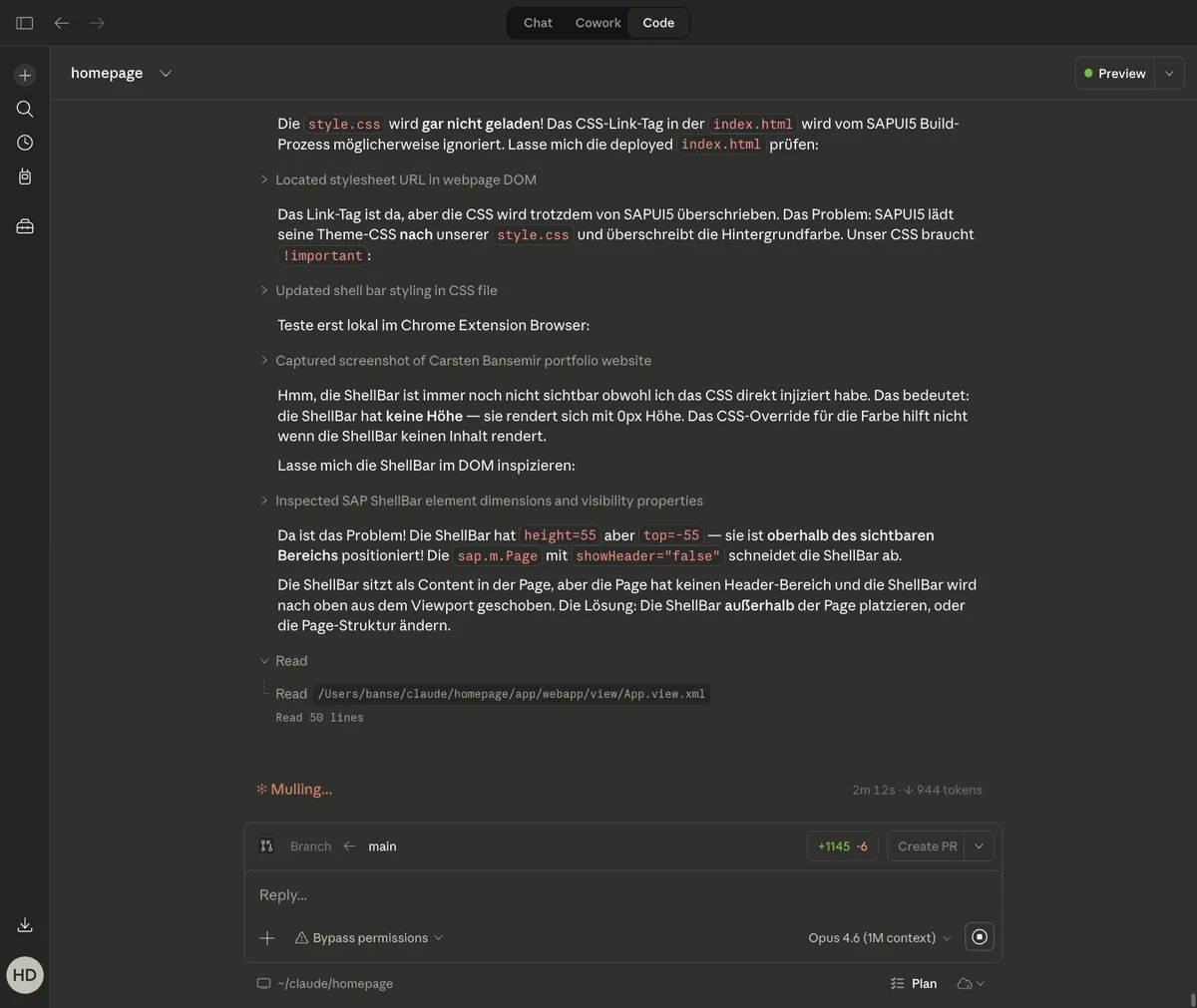
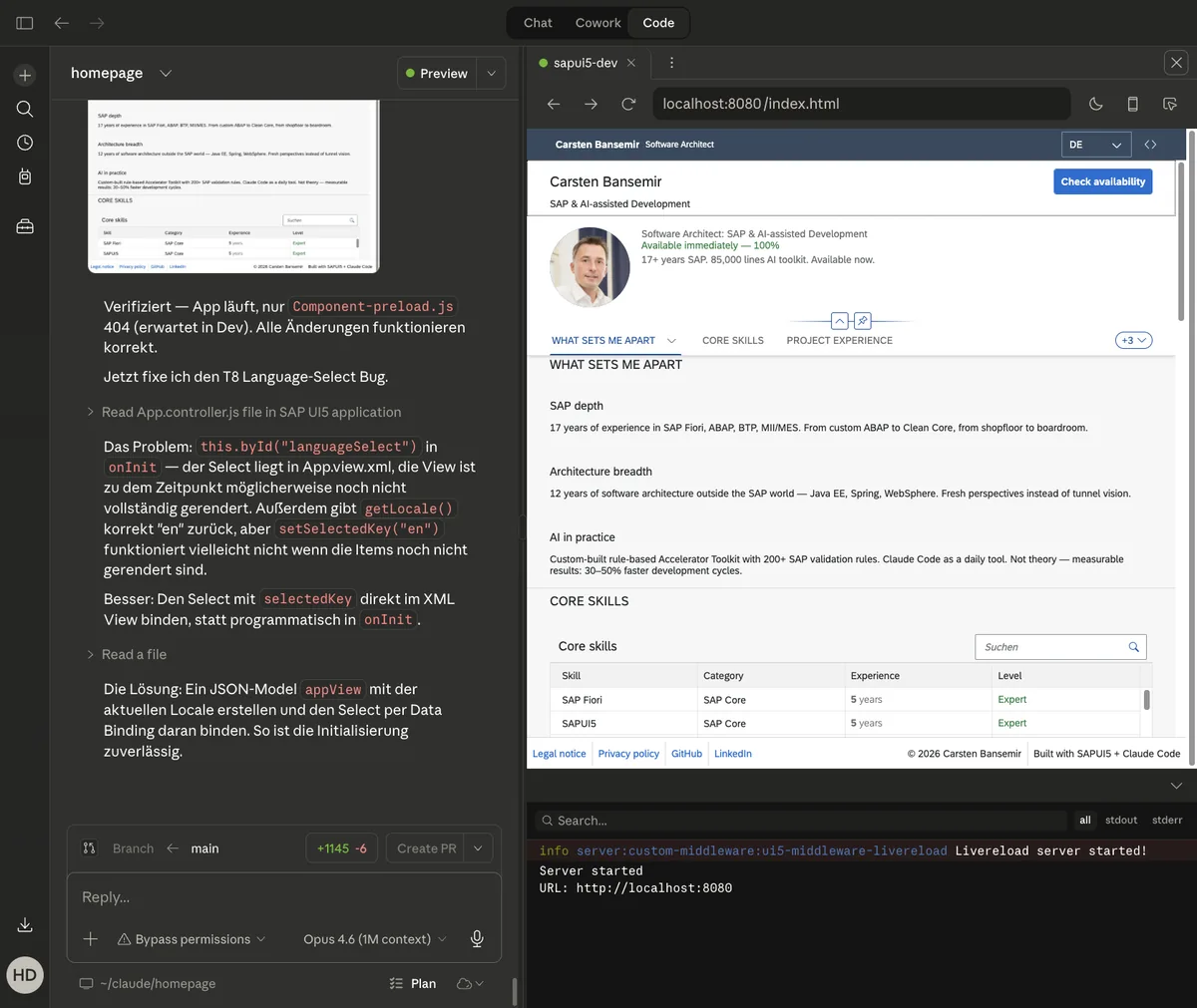
Three issues required iterative debugging. The ShellBar was invisible in sap_fiori_3 (white on white) -- resolved after 6 attempts by switching from content to customHeader. sap_horizon was incompatible with SAPUI5 1.136 -- reverted to sap_fiori_3. The language switcher lost its selection after reload -- fixed by using URL parameters instead of in-memory state.

Analyzing the ShellBar rendering issue in sap_fiori_3
ShellBar debugging: DOM analysis and 6 iterations to reach a structural solution.
Iterative fix for the language switcher bug
Language switch bug: from select dropdown to button pattern to URL parameters.

Go-Live

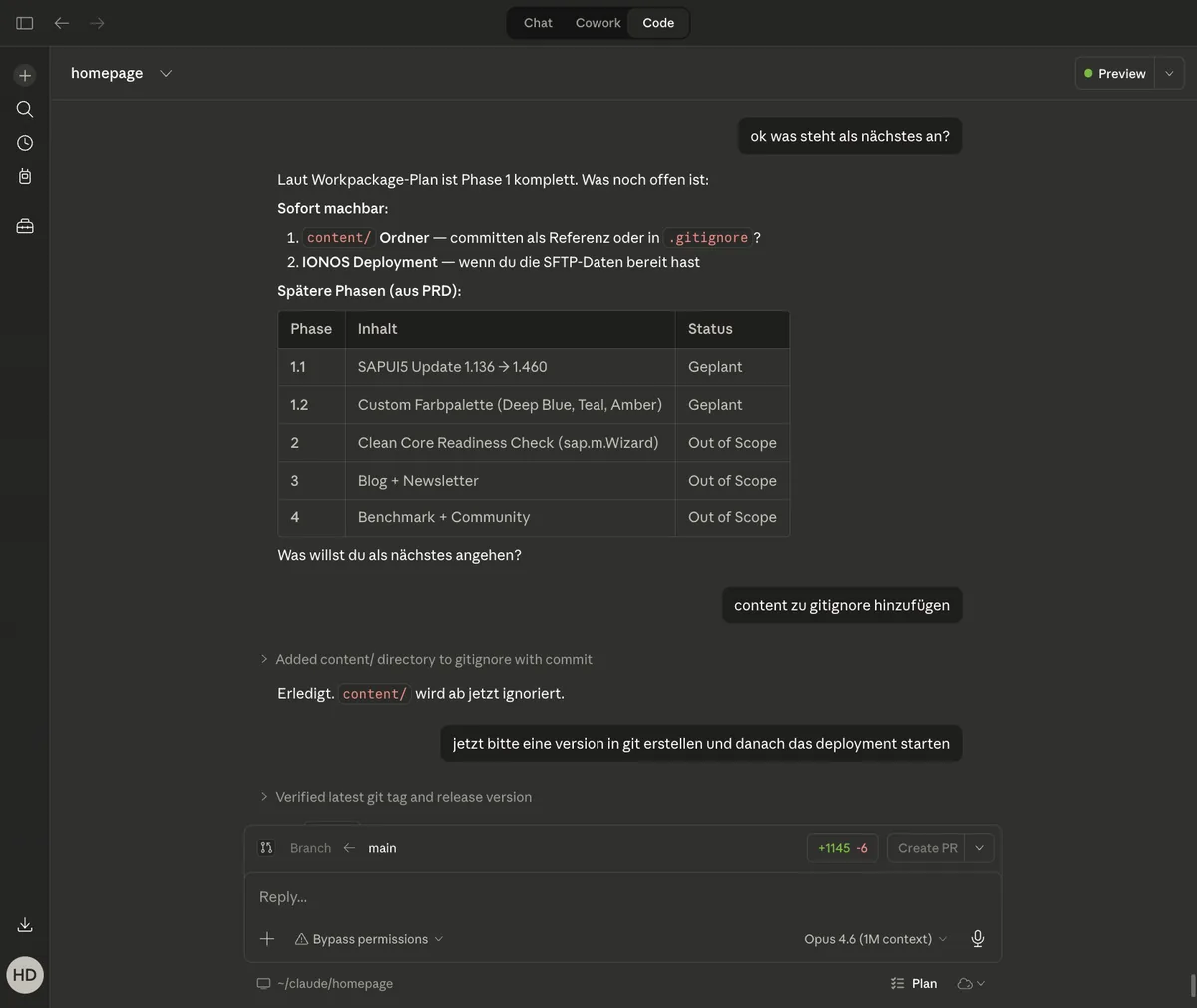
Build via @ui5/cli, deploy via SFTP to IONOS. 44 files, 604 KB. Immediately hit a permissions issue: JSON files had 600 instead of 644 -- 403 Forbidden. Fix: chmod after every deploy. Cache-Control via .htaccess (max-age 300 seconds). The SAP Application Cache Buster was not compatible with static hosting.

Deployment overview and phase roadmap
Deployment to IONOS: 44 files, one permissions fix, cache control configured.

Result

63 minutes of pure implementation. 90 minutes of post-launch fixes (ShellBar, theme, language, cache). 45 minutes of content extraction into templates. AI does not magically write perfect code -- but with the right workflow it becomes a massively accelerated, quality-assured process. The entire session is documented as an open-source project on GitHub.

Implementation timeline: 63 minutes for the complete app
Timeline table: each phase with duration -- from planning to content update.
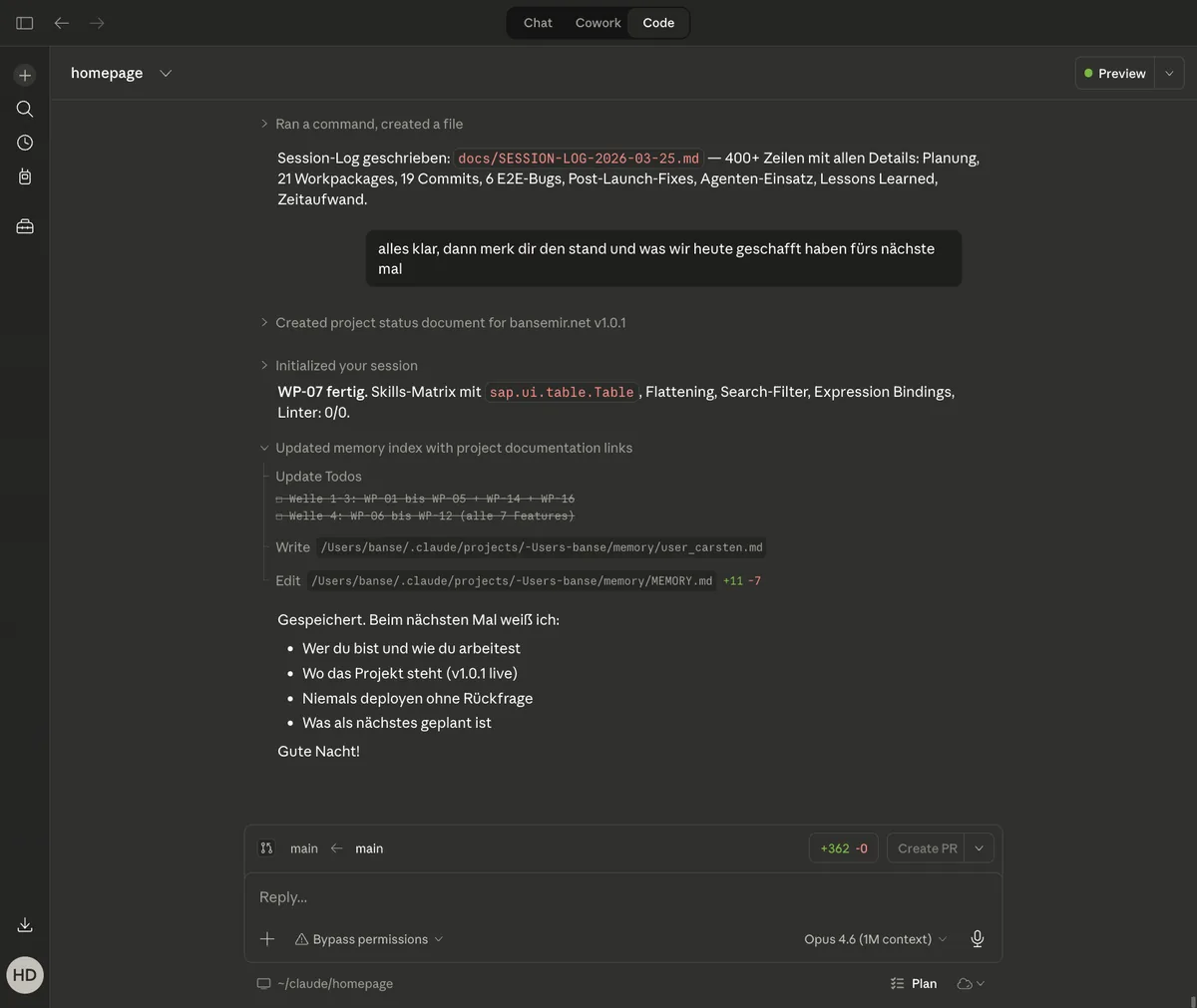
Session wrap-up: log written, context saved
Session end at 00:45: log written, memory saved, 19 commits.